

"Discover the Magic of Excel: Unleash Your Data Wizardry."
Join Classroom Training Within 3 day
at Bangunan Seremban Plaza, Seremban
DATE: 19-21 September 2023
Next Incoming class :
October 2023
31 October-2 November 2023
December 2023
12-14 December 2023
February 2024
20-22 February 2024
Duration
3 Days
(21 hours)
Time
- 9AM - 5PM
Seats Availability
- 6
in classroom
Fee
RM 800
- VENUE / PLATFORM
- Level 3, Training Room, Bangunan Seremban Plaza, Jalan Dato Muda Linggi, 70100 Seremban, Negeri Sembilan.
- Meals Provided?
- YES
- PC/Laptop Provided?
- NO
- oUR Instructor

Coach Asyraf
(Microsoft Office Specialist: Expert)
Choose your preference date:
Before you begin
Know basic computer features.
Language
50% English & 50% Bahasa Melayu
Certification
Certificate of Participation by Training Provider

Course Overview
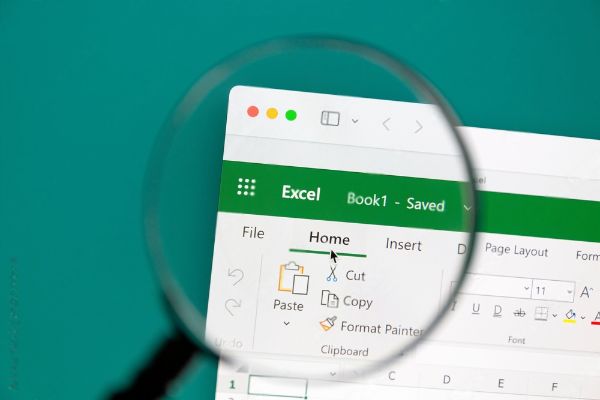
Develop Excel skills through a structured progression from core concepts to advanced methods. Hands-on exercises and realistic examples connect spreadsheet tools with analysis, reporting and decision-making.
Across three days, learn to manage, analyse and present data at different levels of complexity. The programme supports beginners as well as users who want to extend their existing skills.
Learning goals
At the end of the Course, participants will be able to:
- Understand the Excel interface, navigation, and terminology.
- Learn efficient data entry techniques and apply formatting options.
- Understand and utilize basic mathematical operators, functions, and formulas.
- Explore and apply advanced functions, such as logical functions, text functions, and lookup functions.
- Create and customize a variety of charts and graphs.
- Learn how to manage worksheets and workbooks effectively.
- Master the art of PivotTables to summarize, analyze, and present large datasets.
- Implement data validation rules to ensure accurate data entry, and understand how to protect sensitive data within cells, worksheets, and workbooks.
- Learn the basics of recording and running macros using Visual Basic for Applications (VBA).
- Discover time-saving tips, keyboard shortcuts, and advanced features.
Course Outline & Module

Day 1: Basic/Fundamental Modules
- Navigating The Interface
- Entering And Editing Text and Formulas
- Working With Basic Functions
- Modifying A Worksheet
- Formatting Data
- Inserting Images and Shapes
- Creating Basic Charts
- Page Layout and Printing
- Working with Templates
Day 2: Intermediate Modules
- Working with List
- Working with List Functions
- Data Validation
- Importing and Exporting Data
- PivotTables And PivotCharts
- Working with Large Sets of Excel Data
Day 3: Advanced Modules
- Working with Conditional Functions
- Working with Lookup Functions
- Working with Text Based Functions
- Auditing
- Protection and Security
- Mastering with “What If” Tools
- Introduction to Macros and Automation
Who this programme suits
This course is ideal for

Students |Educators

Administrative Staff

Entrepreneurs | Business Owners

Professionals

Training Packages
Course Handbook
Exercise Files
Tutorial Videos
Lifetime Group Support
How to Register
Register Now
Click on the "Register Now" button on the course page.
Complete Registration Form
Fill out the registration form with your personal details, choose training date and preferred payment method.
Make Payment
Make the payment to secure your spot. Once your payment is confirmed, you'll receive a confirmation email.
Contact Us
Reach out to our registration team via WhatsApp to get link access to WhatsApp group.
*** Note: Course content and schedule are subject to minor adjustments based on the needs and skill levels of participants.
Ready for your next step?
Let’s find the right training for you or your team.
