
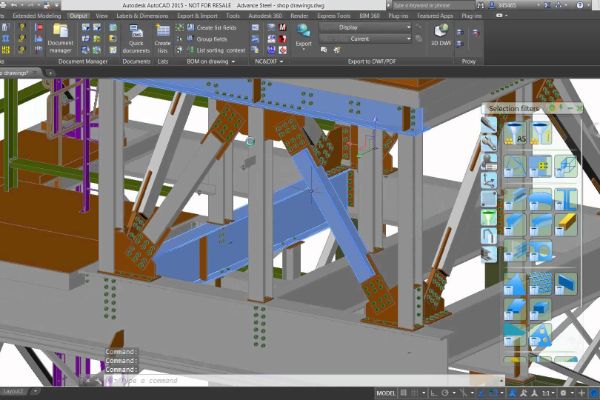
The Autodesk® Advance Steel Advanced Training will let you explore the software even more than what people usually do.
Explore deeper customisation in Advance Steel, including changes to its databases. You will also be introduced to the basic macros used within the software.
Develop a more confident approach to advanced Advance Steel tasks. Learn to select appropriate tools for customising templates and modifying databases.
At the end of the course, you will be able to:
- Section Profile customizations
- Bolt Set customizations
- Washer customizations
- Nut Customizations
- Prototype Creations
- Macro
BENEFITS OF AutoCAD Essential TRAINING

Efficiency and productivity

Complex project handling

Compliance and standards

Continued professional development
View Course Content
DAY 1
CHAPTER 1: CUSTOM SECTION PROFILE
- Frame
- Outer Contour
- Inner Contour
- Exact Outer Contour
- Exact Inner Contour
- Section Class
- Section Name
- Section Axis
- System Coordinate
CHAPTER 2: CUSTOM BOLTS, ANCHORS & SHEAR STUDS
- Start a Drawing
- Management Tools
- Define Bolt Assembly
- Nut & Washer Type
- Define Bolts
- Define the Bolts Set Rules
- New Bolt Assembly Test
DAY 2
CHAPTER 3: CUSTOM PROTOYPE/TEMPLATES
- Find & Editing Prototype
- Copy & Paste Prototype
- Open & Rename Prototype
- Drawing List Table
- Remove & Insert Table
- Title Block & Token
- Prototype Application
- Updating Revision
CHAPTER 4: MACROS
- Basic of Macro
- Macro Characters
- Tool Palette
- Custom User Interface
- Command Properties
- Command Strings
- Example 1 : Create Rectangle with Specific Coordinate
- Example 2 : Create New Layer With Specific Name and Colour
- Example 3 : Combining Example 1 & Example 2
- Example for Advance Steel Macros.
LET’S TALK TRAINING
A good place to start.
Tell us what you would like to learn or how you would like to collaborate. Our team will help with the next step.
YOUR NEXT CHAPTER
Let’s talk trainingReady for your next step?
Let’s find the right training for you or your team.
