
Progress beyond Inventor Introduction to Solid Modelling and develop more productive part-design workflows using advanced modelling techniques.
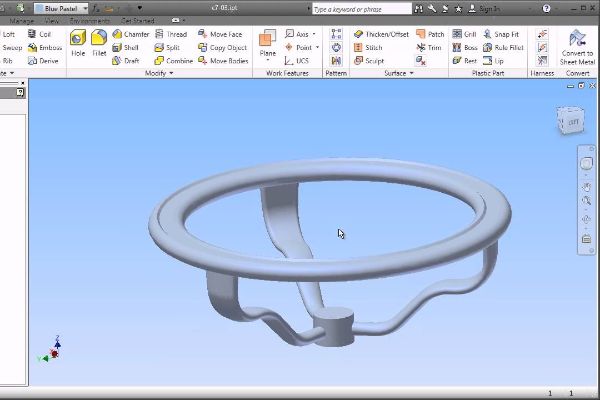
Compare design approaches including multi-body modelling, complex lofts and sweeps, coils and surfaces. Improve efficiency with iFeatures, iParts and data-translation options, then work with sketch symbols, title blocks, borders and iPart documentation.
At the end of the course, you will be able to:
- Advanced model appearance options
- 2D and 3D sketching techniques
- Multi-body part modeling
- Advanced geometry creation tools (work features, area lofts, sweeps, and coils)
- Analysis tools
- Generative shape design using Shape Generator
- Creating and editing basic surfaces, importing surfaces, and surface repair tools
- iFeatures and iParts
- Importing data from other CAD systems and making edits
- Working with AutoCAD DWG files
- Freeform modeling
- Emboss and Decal features
- Advanced Drawing tools (iPart tables, surfaces in drawing views, and custom sketched symbols)
- Adding notes with the Engineer’s Notebook
BENEFITS OF Inventor Advanced – Part Modelling TRAINING

Enhanced 3D Modelling Skills

Design Optimization

Assembly Design

Advanced Features Exploration
View Course Content
DAY 1
CHAPTER 1: TIPS & TOOLS
- Design Philosophies
- Sketching Tips
- Display Options
- Appearances
CHAPTER 2: SKETCHING TOOLS
- Splines
- 3D Sketches
CHAPTER 3: MULTI-BODY PART MODELING
- Multi-Body Part Modelling
CHAPTER 4: ADVANCED WORK FEATURES
- Grounded Work Points
- User Coordinate Systems
CHAPTER 5: ADVANCED LOFTS, SWEEPS AND COILS
- Area Lofts
- Area Sweeps
- Coils
DAY 2
CHAPTER 6: ANALYZING A MODEL
- Analysis Types
- Analysis Procedures
CHAPTER 7: GENERATIVE SHAPE DESIGN
- Shape Generator
CHAPTER 8: INTRODUCTION TO SURFACING
- Introduction to Surfaces
- Basic Surfaces
- Patch Surfaces
- Ruled Surfaces
- Stitch Surfaces
- Sculpting with Surfaces
- Thickening and Offsetting a Surfaces
- Surfaces in Drawing Views
CHAPTER 9: ADDITIONAL SURFACING OPTIONS
- Extend and Trim Surfaces
- Replace Face with a Surfaces
- Delete Faces
- Copy Surfaces
CHAPTER 10: COPYING BETWEEN PARTS (IFEATURES)
- Creating iFeatures
- Inserting iFeatures
- iFeatures vs Copy Feature
- Table-Driven iFeatures
- Editing iFeatures
DAY 3
CHAPTER 11: iPARTS
- iPart Creation
- iPart Placement
- Editing an iPart Factory
- Creating iFeatures from a Table-Driven iPart
- Tables for Factory Members
CHAPTER 12: IMPORTING & EDITING CAD DATA
- Importing CAD Data
- Exporting Geometry
- Editing the Base Solid
- Direct Edit
- Attaching Point Cloud Data
CHAPTER 13: WORKING WITH IMPORTED SURFACES
- Importing Surfaces
- Repairing Imported Surfaces
CHAPTER 14: WORKING WITH AUTOCAD DATA
- Opening AutoCAD Files
- DWG File Underlays
- Working with other Autodesk Product Files
CHAPTER 15: INTRODUCTION TO FREEFORM MODELING
- Creating Freeform Geometry
- Editing Freeform Geometry
LET’S TALK TRAINING
A good place to start.
Tell us what you would like to learn or how you would like to collaborate. Our team will help with the next step.
YOUR NEXT CHAPTER
Let’s talk trainingReady for your next step?
Let’s find the right training for you or your team.
