
Take the next step after Revit Architecture Essentials with a wider range of advanced tools and architectural workflows.
Explore site design, advanced rendering, phasing, design options, custom component families and collaborative design.
This course is designed for experienced users of Revit Architecture.
At the end of the course, you will be able to:
- Create 2D detail components.
- Import and export data between AutoCAD® Architecture and Revit® Architecture projects.
- Link Revit models, coordinate and monitor changes in a current project
- Publish Revit Structure files to Design Web Format (DWF™) files and work with DWF markup files.
- Import and export design data using the Industry Foundation Classes (IFC) format.
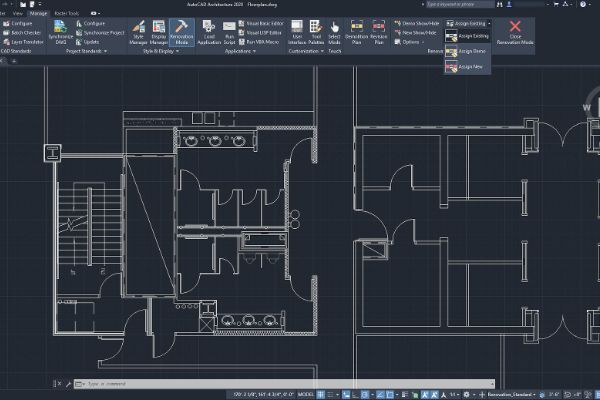
BENEFITS OF Revit Architecture Advanced TRAINING

Complex project handling
BIM (Building Information Modeling) expertise

Parametric modeling
Improved visualization
View Course Content
DAY 1
CHAPTER 1: BIM MANAGER – MANAGING REVIT
- Managing Project Template
- Creating company-wide cover Sheets
- Creating shared parameter
- Managing Project Browser
- Creating a Startup Page
CHAPTER 2: MIGRATING FROM AUTOCAD TO REVIT
- Using Cad files in Revit
- Understanding linking & importing
- Importing CAD files with Current View Only
- Tracing CAD files
- Creating Hybrid Project with nested CAD Files
- Controlling imported line weight
- Avoiding exploded CAD files
- Exporting from Revit to AutoCAD
CHAPTER 3: CENTRAL FILE AND WORK SHARING
- Understand Central Files and Work Sharing.
- Working with Worksets
- Manage Worksets
- Manage File Sharing
DAY 2
CHAPTER 4: CONCEPTUAL DESIGN
- Create Conceptual Mass
- Create Unique Massing
- Manage Mass Properties
- Creating Topographical Surfaces
- Project Base Point and Survey Point
- Creating Toposurfaces
- Editing Toposurfaces
- Site Settings
- Adding Property Lines and Building Pads
- Creating Property Lines
- Creating Building Pads
- Modifying Toposurfaces
- Creating Subregions
- Splitting Surfaces
- Grading a Site
CHAPTER 5: FAMILIES
- Understand Families and Families Templates
- Understand Datum
- Create Forms
- Families Parameter
- Families Detailing
- Load and Manage Families into Project
LET’S TALK TRAINING
A good place to start.
Tell us what you would like to learn or how you would like to collaborate. Our team will help with the next step.
YOUR NEXT CHAPTER
Let’s talk trainingReady for your next step?
Let’s find the right training for you or your team.
